
Design your own scoreboard layout, without a designer or technician
The screen is not a fixed grid
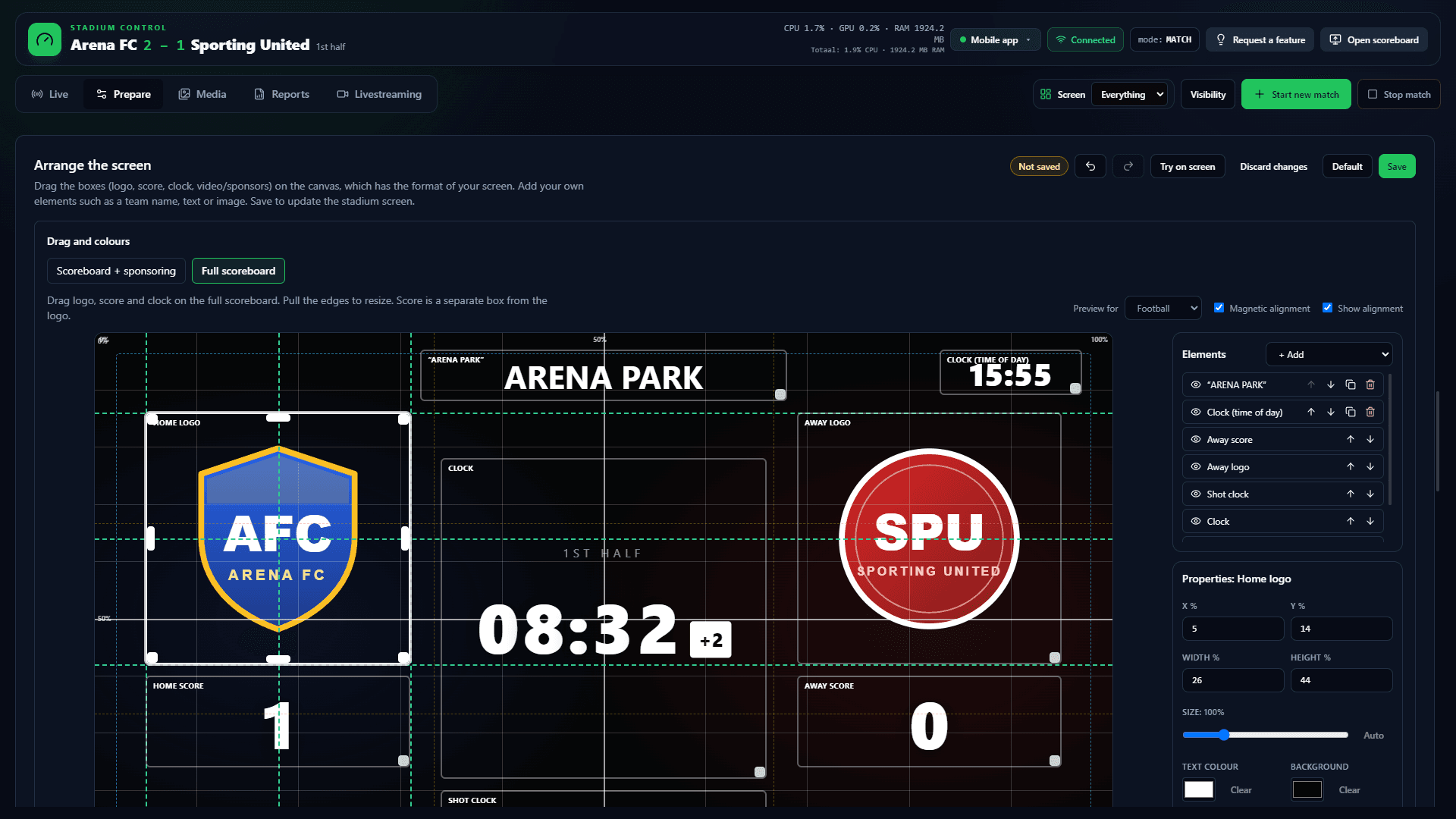
Many boards force seven boxes into a fixed L. ArenaCue starts there, but you drag every box. You add team name, period, time of day, free text or an image — with its own colour, size and layer.
Undo, arrow keys and magnetic snap. Unsaved work stays until you save or discard. Try on screen shows a design for 60 seconds on the stadium display without saving it.
A library stores layouts. You attach one to football at half-time or basketball live; the screen then picks it. Club Scoreboard: €99 per month excl. VAT.
Free trial
Try it this weekend
Free for 14 days on your own PC and screen. Name, club and email only; no payment card.
No payment card needed. Works with the screen you already have. Then €99 per month excl. VAT, cancel any month.
A canvas in the format of your screen
16:9 for TVs and most LED walls, a wide strip or a cube. You do not stretch the picture: the layout follows the pixels that are there.
- Free drag of logo, score, clock, sponsor
- Own text, image, team name, period
- Layers, colour and size per element
- Magnetic snap and undo
A layout per sport or phase
Live football needs a different composition from half-time or a volleyball set. Rules pick a saved layout. Without a rule the saved default applies.
Backgrounds for the L-bar and fullscreen
One club image for everything, or separate ones for the full board and the L-bar when a sponsor clip plays beside it. In auto mode logos stack in the L until you drag a box.
No designer on matchday
You build the library beforehand. On the match you pick a profile or let the phase choose the layout. Try on screen is a last check, not live design.
Frequently asked questions about scoreboard layout
- Can I use an LED strip that is not 16:9?
- Yes. The canvas follows the width and height of the screen. You arrange on those pixels instead of stretching a 16:9 picture.
- Does an old layout stay the same after an update?
- Yes. Existing arrangements keep rendering. New element types are added; they do not rewrite a saved design by themselves.
- What is Try on screen?
- A design sits on the stadium screen for 60 seconds without saving. Then the screen returns to the active layout.
- Is this in Club Scoreboard?
- Yes. €99 per month excl. VAT, two Windows activations. No separate design plan.
Free trial
Give the screen the club’s face
Ask for a demo. Free arrangement, a library per sport and phase, from €99 per month excl. VAT.
Sponsor rotation beside the board · LED wall as scoreboard · Operator: music and announcements · Scoreboard software