
Indoor venue scoreboard setup for projector, TV wall or indoor LED
The hall already has a picture surface — this is how you drive it
Municipal halls, club gyms and school sports halls rarely buy a new electronic scoreboard. They already have a projector, a row of TVs, or a small indoor LED used for events. This playbook is the typical professional setup: a Windows 10/11 PC at the scorer’s table, HDMI or DisplayPort to that screen, fixed 16:9 output, one operator.
Indoor differs from a stadium LED mainly in the signal path, not in the software. The cable is shorter, the light is artificial, and the sport is more often basketball, volleyball, futsal or indoor hockey. ArenaCue uses the same app and the same sport profiles. The media loop and sponsor rotation run in the background; you click on a goal, substitution or card.
Take the same laptop to an away hall if a TV or projector is waiting there. The subscription includes two Windows activations. The full scoreboard package is €99 per month excl. VAT, cancellable monthly in the portal — no feature tiers, no invented “hall plan”.
Free trial
Try it this weekend
Free for 14 days on your own PC and screen. Name, club and email only; no payment card.
No payment card needed. Works with the screen you already have. Then €99 per month excl. VAT, cancel any month.
Pick the picture path: projector, TV wall or indoor LED
Three common hall layouts, one software layer. The choice is the screen already installed, not an extra ArenaCue module.
- Projector: ceiling or truss mount, 16:9 on a white wall or screen, PC near the scorer’s table
- TV wall: one 16:9 TV or a small videowall with its own scaler; treat the wall as a single monitor
- Indoor LED: a short HDMI or DisplayPort run to the hall processor — same path as outdoors, shorter cable
- Same 16:9 canvas in ArenaCue; letterboxing or crop belongs to the scaler, not the app
Tie the matchday PC to the hall screen
Put the PC where the operator sits — usually the scorer’s table on the sideline. Keep the signal path simple: one cable, one input, tested before first whistle. Long cheap HDMI across the hall is the usual failure, not the software.
- Windows 10/11, output set to the resolution the projector, TV or processor expects (often 1920×1080)
- Short run: direct HDMI or DisplayPort. Long run: an extender, not hope and a 20-metre cable
- Hall audio does not have to pass through ArenaCue; the desk’s job is the picture
- Second activation as a spare laptop if the house PC fails
Run indoor sports with one operator
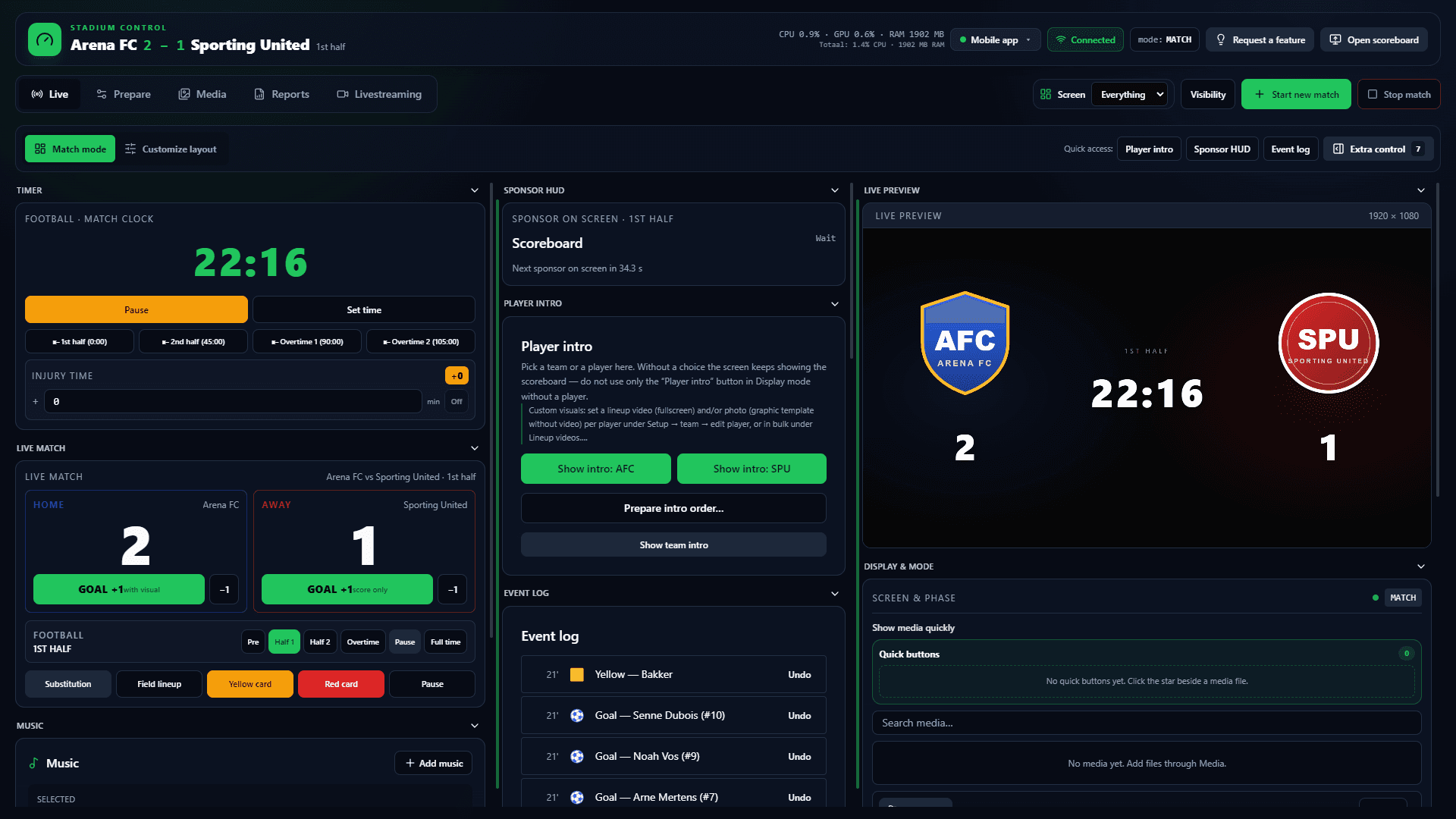
A hall crew is rarely a control-room team. ArenaCue keeps score, clock, visuals and sponsors in one panel. Pick the sport profile per match: basketball with a 24/14 shot clock, volleyball with sets, futsal or hockey — the same app as outdoors.
- Prematch, play, the break and full-time in one flow
- Android helper on LAN if someone works from the bench
- Offline on matchday: local app, periodic licence check
- The same laptop can later drive a hall that only has a TV
Sponsors in a municipal hall
A hall still sells seconds: the local bakery, the council, the kit partner. Set seconds per partner for pre-match, play, the break and post-match. ArenaCue spreads that time, pauses on match events, and exports proof-of-play — beside the scoreboard during play, fullscreen at the break.
Indoor venue scoreboard FAQ
- What is an indoor venue scoreboard setup?
- It is the signal path from a Windows PC to the screen in the hall: projector, TV wall or indoor LED. ArenaCue supplies the 16:9 match picture. You do not buy a new hall scoreboard if that surface is already there.
- Projector, TV or indoor LED — which fits?
- Use what the hall already has. A projector is cheap and portable. A TV wall stays brighter under house lights. Indoor LED follows the same path as a stadium wall, usually with a short cable into a small processor.
- Can we take the same laptop to another hall?
- Yes. Two Windows activations are included. Plug HDMI or DisplayPort into the local TV or projector, pick the sport profile, and the match flow stays local — even without hall Wi-Fi.
- What does ArenaCue cost for a sports hall?
- The full scoreboard package is €99 per month excl. VAT: live score, sponsors, proof-of-play, media and mobile control. No separate hall tariff. Cancel monthly in the portal.
Free trial
Turn the hall screen on this week
Request a demo for your projector, TV wall or indoor LED. Full package from €99 per month excl. VAT — one operator, offline in the hall.
Scoreboard software · Stadium scoreboard software · LED stadium scoreboard setup · Professional scoreboard software