
Scoreboard software vs streaming overlays: what belongs on the stadium screen
Two useful tools, two different jobs
Search “scoreboard overlay” and you usually land on a browser tab or an OBS scene. That is the right category if you are sending a youth match to YouTube or Twitch: the graphic sits on the camera, not in the stand. KeepTheScore-style browser widgets and OBS score plugins solve that stream problem. They are not stadium matchday software.
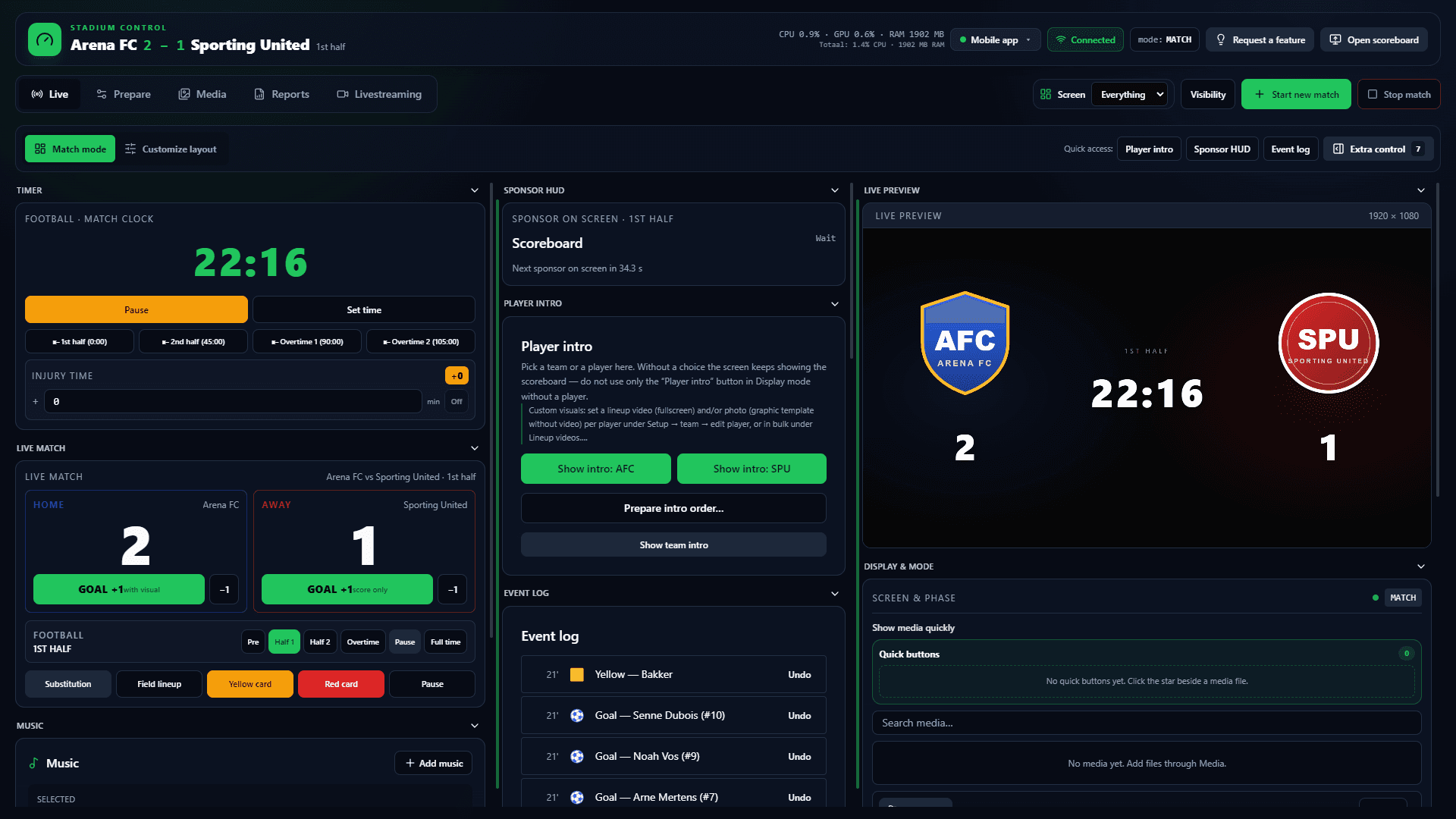
Scoreboard software does the inverse. The primary picture goes over HDMI or DisplayPort to the LED, TV, projector or videowall already installed. One operator runs score, clock, match events and sponsor rotation locally. A periodic licence check needs the internet; the match clock does not. That is ArenaCue’s job.
ArenaCue livestreams from the same Windows app via the built-in livestream tab to YouTube, Twitch or custom RTMP — no OBS or vMix for that basic flow. That does not make overlay tools pointless for pure streamers, and it does not make an overlay a substitute for the stadium screen. Choose by job, not by which product labelled itself “scoreboard”.
Free trial
Try it this weekend
Free for 14 days on your own PC and screen. Name, club and email only; no payment card.
No payment card needed. Works with the screen you already have. Then €99 per month excl. VAT, cancel any month.
Where the picture has to go
An overlay composites the score into the stream. Scoreboard software fills the physical screen in the venue. If sponsors, officials and the crowd are looking at the LED, you need output to that screen — not a scene inside OBS.
- ArenaCue: fixed 16:9 output to the existing LED, TV or projector
- Overlay tools: composition inside the livestream, not on the wall
- Built-in livestream tab: YouTube, Twitch or RTMP, no OBS for that basic flow
Who sits at the controls on matchday
OBS rewards someone who manages scenes, sources and hotkeys. Clubs usually have one volunteer who must keep score and clock while the media loop continues. ArenaCue keeps those actions in one control panel; sponsors rotate on a phase budget, not a manual stinger.
Sponsors and proof-of-play
A slideshow or a fixed OBS scene can show logos. It rarely proves what actually played. ArenaCue schedules seconds per sponsor per phase, pauses on goals and substitutions, and exports proof-of-play. That is inventory for local packages, not set dressing for the stream.
Offline when the stream is already a different stack
A browser tab or cloud overlay dies with the network. The stadium screen must not. ArenaCue keeps running locally on the matchday PC. Use an overlay for the camera feed if you want; use scoreboard software for the stand.
ArenaCue vs browser and OBS overlay tools
| ArenaCue | Browser / OBS overlay tools | |
|---|---|---|
| Primary job | In-venue matchday picture on LED, TV or projector | Score and graphics composited onto a livestream |
| Where it runs | Windows 10/11 app on the matchday PC | Browser tab or OBS scene stack |
| Video output | HDMI or DisplayPort to the venue screen | Encoded into the stream, not the stadium wall |
| Operator | One matchday operator; optional Android helper | Streamer plus scenes, sources and hotkeys |
| Sports clocks | Football, futsal, basketball, volleyball, hockey | Generic widgets; you rebuild per sport |
| Sponsors | Seconds per phase, auto-spread, pause on events | Manual scenes, stingers or a slide loop |
| Proof-of-play | Logged playback, export after the match | Usually not part of the tool |
| Offline matchday | Local; periodic licence check only | Often needs a live page, login or cloud |
| Livestream | Built-in: YouTube, Twitch or RTMP from the same desk | The product’s main job |
| Commercial model | Full package from €99/month excl. VAT | Free or paid; a different category |
Scoreboard software vs overlay FAQ
- Can we use OBS as the stadium scoreboard?
- You can technically send a PC to an LED. OBS remains a compositing tool for streams: scenes, sources, no sport profiles, no phase budgets, no proof-of-play. For the stand you want scoreboard software, not an overlay stack.
- Does ArenaCue replace a streaming overlay?
- Not if your only job is a camera overlay. ArenaCue is venue control. The built-in livestream tab goes to YouTube, Twitch or RTMP; if you only need a score over a Zoom or YouTube picture, overlay tools remain the better fit.
- Does ArenaCue work without internet during the match?
- Yes on matchday: the app runs locally. There is a periodic online licence check, but the match flow does not depend on stable Wi-Fi. That is exactly where overlays often fail.
- What does ArenaCue cost compared with free overlays?
- The scoreboard package is €99 per month excl. VAT, two Windows activations, cancellable monthly. Free overlays are inexpensive for a stream; they do not buy LED control, sponsor rotation or proof-of-play.
Free trial
Choose software for the screen, not only for the stream
Request a demo if the LED, TV or projector is the primary picture. Full package from €99 per month excl. VAT — overlays stay useful for the camera, not as a replacement.
Scoreboard software · Livestream from the same app · Professional scoreboard software · Software vs hardware systems