
LED stadium scoreboard setup: HDMI to the processor you already have
Treat the videowall as a 16:9 monitor, not a new scoreboard
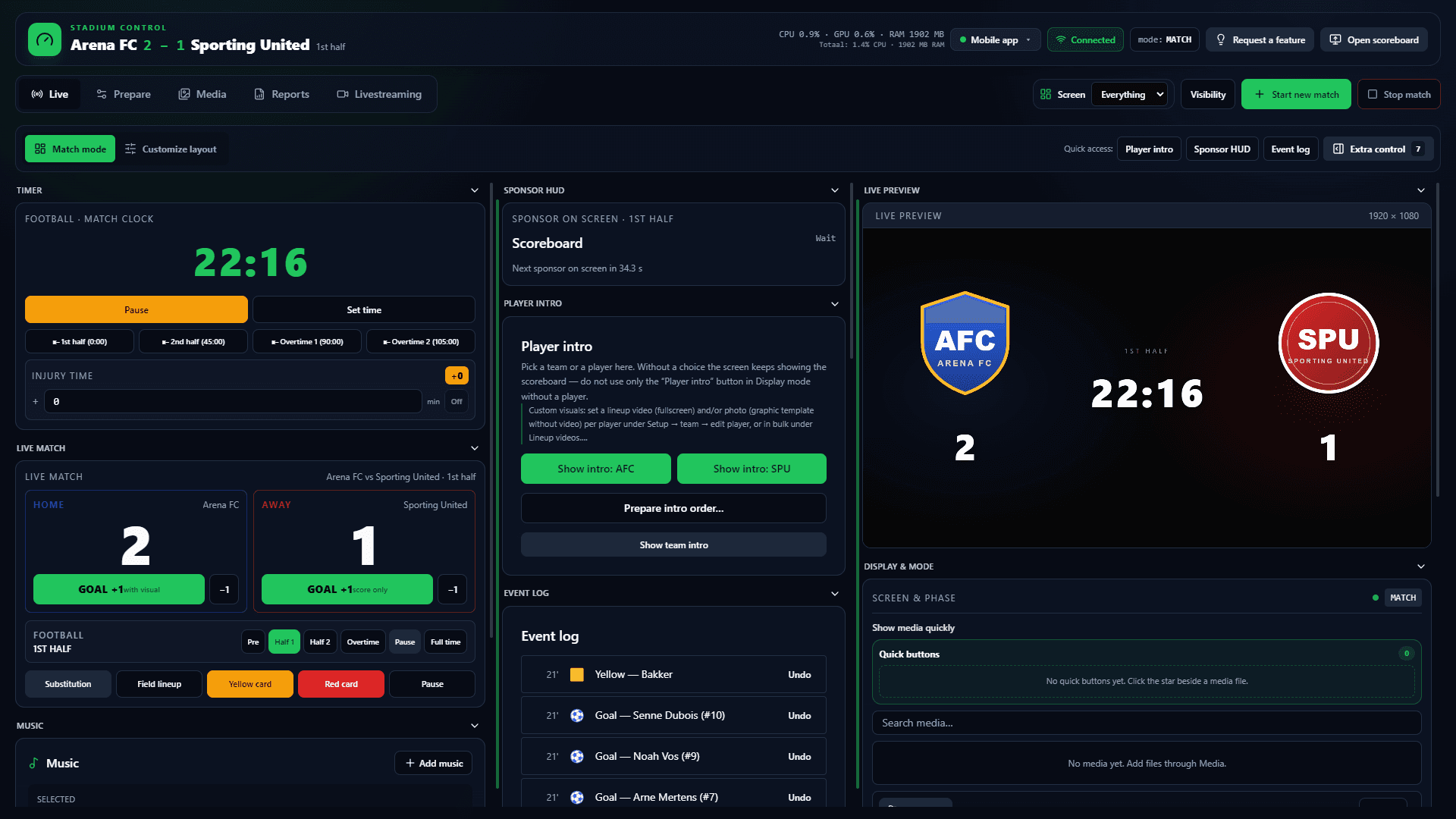
Outdoor LED in a stadium almost always already has a processor or scaler. That box expects a standard video signal and maps the canvas across the modules. This playbook follows that professional chain: matchday PC indoors, HDMI or DisplayPort into the processor, 16:9 mode (often 1920×1080), ArenaCue as the only match layer. You are not buying a manufacturer console or a replacement wall.
Daylight is a property of the wall and the processor — brightness, viewing angle, pitch — not of the software. Test the path in daylight if kick-off sits in the sun. Long cheap HDMI through the stand is the classic failure. Use an extender or fibre if the desk is far from the rack. The PC stays indoors; only the wall is outdoors.
ArenaCue runs locally. Licence checks are periodic and online; the clock does not wait for stadium Wi-Fi. Same app as in the hall: football, futsal, basketball, volleyball or hockey, sponsor rotation by phase, proof-of-play after full-time. The package is €99 per month excl. VAT, two activations, cancellable in the portal.
Free trial
Try it this weekend
Free for 14 days on your own PC and screen. Name, club and email only; no payment card.
No payment card needed. Works with the screen you already have. Then €99 per month excl. VAT, cancel any month.
Signal path: PC → HDMI or DisplayPort → LED processor
ArenaCue does not drive modules pixel by pixel. It feeds the processor your installer already mounted. Confirm the input (HDMI or DisplayPort), the expected 16:9 resolution and EDID, and set Windows to that mode before the first match.
- Processor in the rack by the wall; operator in the stand or a small control room
- Short run direct; long run with an extender or fibre — not a 30-metre HDMI
- One input, one 16:9 canvas; mapping onto the physical modules belongs to the processor
- If the wall is not 16:9, letterbox or crop on the scaler — not inside ArenaCue
16:9 canvas and daylight readability
The match picture is a fixed 16:9. Whether the stand can read it depends on the wall: brightness, contrast, viewing distance. You set that on the processor and the LED configuration, not with an extra software filter. Playbook test: the full path the day before the match, ideally in the same daylight as kick-off.
- Set Windows to the processor’s preferred mode, usually 1920×1080
- Check colour, black level, and whether sponsors stay sharp beside the scoreboard
- Keep the laptop indoors; extend the signal, not the operator in the rain
- No promised nits or IP ratings: that is the installer’s hardware
Offline on matchday, one operator at the desk
Guest Wi-Fi in a full bowl drops more often than a local Windows app. Score, clock, visuals and sponsor rotation stay in one panel. The media loop keeps running; you click on a goal, card or substitution. An Android helper can join on LAN if someone sits on the sideline.
Keep the hardware job and the software job apart
A manufacturer package sells the wall, the controller and the software together. This playbook starts from the wall already hanging. ArenaCue is the control layer, not an LED vendor. Perimeter LED boarding is a separate product if you later add zones around the pitch. If you are weighing software against a tied system, read the hardware comparison.
LED stadium scoreboard setup FAQ
- What is a LED stadium scoreboard setup?
- The chain from a Windows PC to the existing LED processor: HDMI or DisplayPort, a 16:9 canvas, mapping by the processor across the modules. ArenaCue is the match software on that chain, not a new wall.
- Do we need to buy a new outdoor LED?
- Not if a videowall with a processor is already installed. ArenaCue feeds that input. A new wall is only required if you have no picture surface — that is a hardware project, not a software subscription.
- Does this work in daylight and without Wi-Fi?
- Daylight depends on the wall. The software still sends the same 16:9 picture. On matchday the app runs locally; licence checks are periodic and online. The clock does not wait for a browser tab.
- What does this setup cost on the software side?
- ArenaCue Scoreboard is €99 per month excl. VAT for the full package, two Windows activations, cancellable monthly. The LED, processor and cabling stay with your installer.
Free trial
Test the path from PC to processor
Request a demo with your LED input and 16:9 mode. Software from €99 per month excl. VAT — the wall already installed, offline on matchday.
Stadium scoreboard software · Scoreboard software · Software vs hardware systems · Indoor venue scoreboard setup