
Livestream from the scoreboard, without a separate broadcast tool
The stream is the same match as in the stand
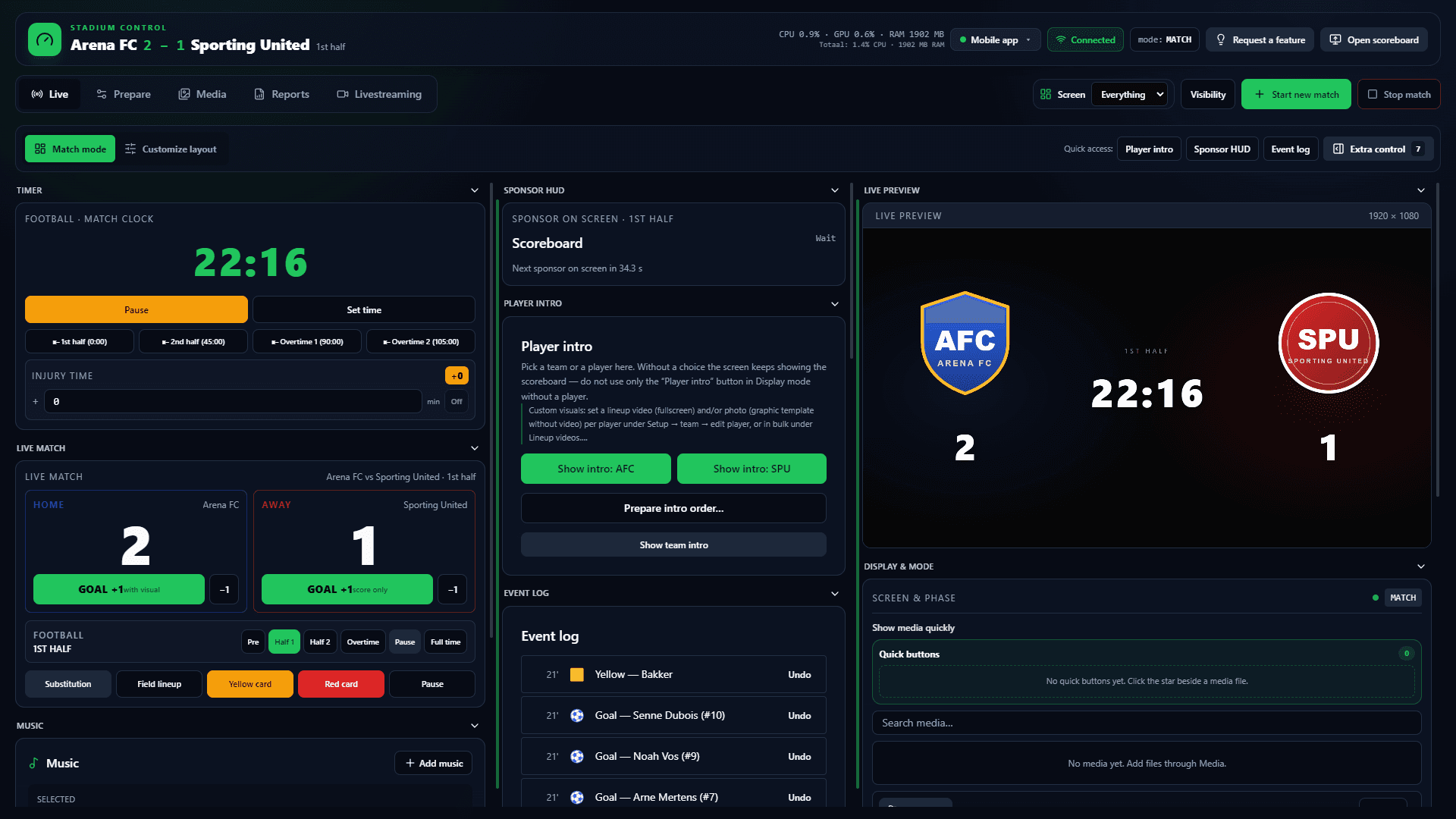
Clubs that send a match to YouTube or Twitch often buy a second tool: a browser overlay or an OBS scene. That clock is not the stadium clock. ArenaCue streams from the same Windows app that drives the LED or TV.
Viewers see the score overlay and, if you want, the same sponsor visuals. You switch live between camera, stadium display, a browser window or local media. 1080p or 720p, NVIDIA NVENC preferred; without NVIDIA the app falls back to x264.
Internet is needed for the upload, not for local scoreboard control. Club Scoreboard is €99 per month excl. VAT; livestream is in that package, not a second subscription. Two Windows activations.
Free trial
Try it this weekend
Free for 14 days on your own PC and screen. Name, club and email only; no payment card.
No payment card needed. Works with the screen you already have. Then €99 per month excl. VAT, cancel any month.
YouTube, Twitch or your own RTMP
Pick a platform in the livestream tab. A custom URL and stream key cover your own encoder or club platform. A second destination is optional.
- YouTube, Twitch or custom RTMP
- Optional second destination
- Local recording beside the live send
- No separate broadcast app for the basic flow
Sources: camera, display or media
Program can be the match camera, the stadium display, a browser window or a local file. You switch during the match. An audio mixer blends microphone, system sound and sources for commentary.
Score overlay matches the stadium
The overlay follows the real match clock and score, not graphics typed by hand. Sponsors can travel with it so viewers see the same commercial seconds as the crowd.
Hardware for a stable upload
For 4–6 hours at 1080p: recent 6+ core CPU, 32 GB RAM, NVIDIA RTX 3060-class with NVENC, wired Ethernet, 8–12 Mbit/s upload. Without NVIDIA, x264 is a test path, not a matchday standard. See requirements.
Frequently asked questions about scoreboard livestream
- Do I still need OBS next to ArenaCue?
- Not for the basic flow. YouTube, Twitch or RTMP, source switching, score overlay and recording sit in the control panel. OBS still helps if you want a full broadcast stack; it is not required.
- What happens if stadium internet drops?
- The upload stops. Score, screen and local sponsor rotation keep running. Start the stream again when the line returns.
- Is livestream in the Club plan?
- Yes. €99 per month excl. VAT, two Windows activations. No extra livestream SKU. Stadium is a quoted service package, not a feature lock.
- Which GPU do you recommend?
- NVIDIA with NVENC (RTX 3060/4060 class) for HD sponsors and encode. Without NVIDIA the app uses x264 — fine to test, not the matchday default.
Free trial
Put the next home match online as well
Ask for a demo. Score, overlay and YouTube or Twitch from the same Windows app, from €99 per month excl. VAT.
Hardware for stream and screen · Scoreboard vs stream overlay · Mobile control beside the desk · All scoreboard software